
Week 8
- Home
- Blog
Spotify Premium is the best for college and college-age students and I’m just going to tell you why I personally use it and 100% recommend it:
Affordable Pricing
Spotify Premium offers a discounted pricing plan for college students, which I am, and it’s no question college students need and greatly benefit from all sorts of discounts. You can enjoy all the benefits of Spotify Premium without breaking the bank. It is a generous $5 per month for a single user, or you could gather several friends and create a family account at $16 per month with 6 friends and each pays almost $3 to one person who created the family account.
Why would it be worth it for a student to purchase Spotify Premium?
With Spotify Premium, college students can skip as many songs as they want. This is particularly useful if you’re studying or working and want to quickly move on to the next song without any interruptions. There are also no ads, so nothing will distract or disrupt your activities.
If your college wifi sucks as bad as mine, this feature will be very useful. Spotify Premium allows you to download your favorite songs and playlists and listen to them offline.
Spotify Premium offers personalized playlists, such as Discover Weekly and Daily Mix, that are customized to a users’ music preferences. With shared playlists, users can create and share a list of their favorite songs with friends, family, or followers on the platform. This is a great way to introduce others to new artists, share music for a specific occasion, or create a collaborative playlist where everyone can contribute. Shared mixes are personalized playlists that are created by Spotify’s algorithm, based on a user’s listening habits and history. These mixes are automatically updated on a regular basis, and they are tailored to each user’s tastes and preferences. You can share these mixes with others, or keep them private for your own enjoyment. It’s a great way to discover new sounds.
3 Highlights: Playback, Crossfade, Equalizer
Playback speed: This can be useful for college students listening to audiobooks, podcasts, or lectures at a faster or slower pace. Users can choose from speeds ranging from 0.5x to 2x, depending on ones preferences.
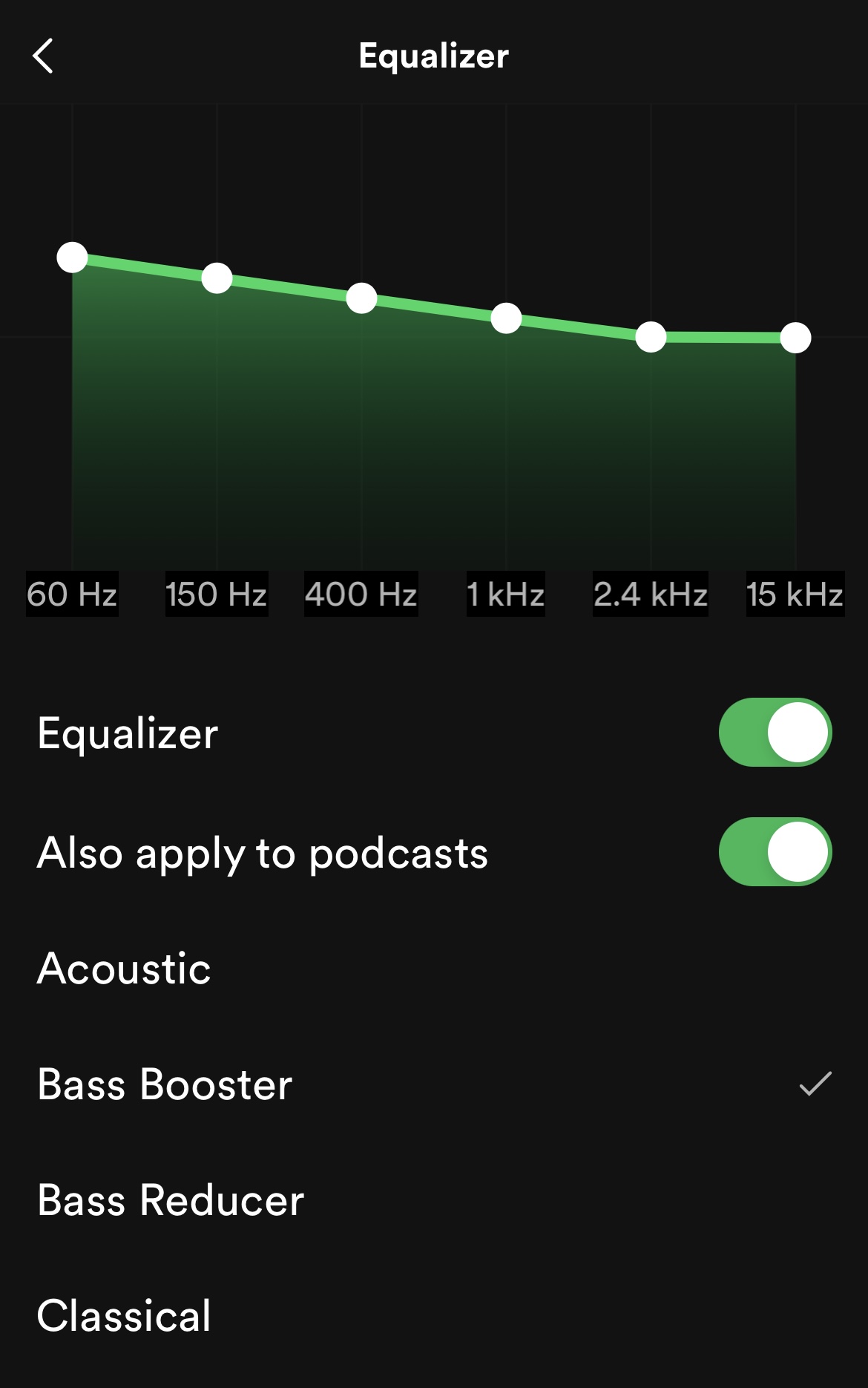
Equalizer (EQ): One of my favorite features, allows users to adjust the levels of different frequencies in their music to create a customized sound profile. This can be useful for adjusting the bass, treble, or other aspects of the audio to suit different types of music or personal preferences. Check out below to see how it looks on a mobile interface.
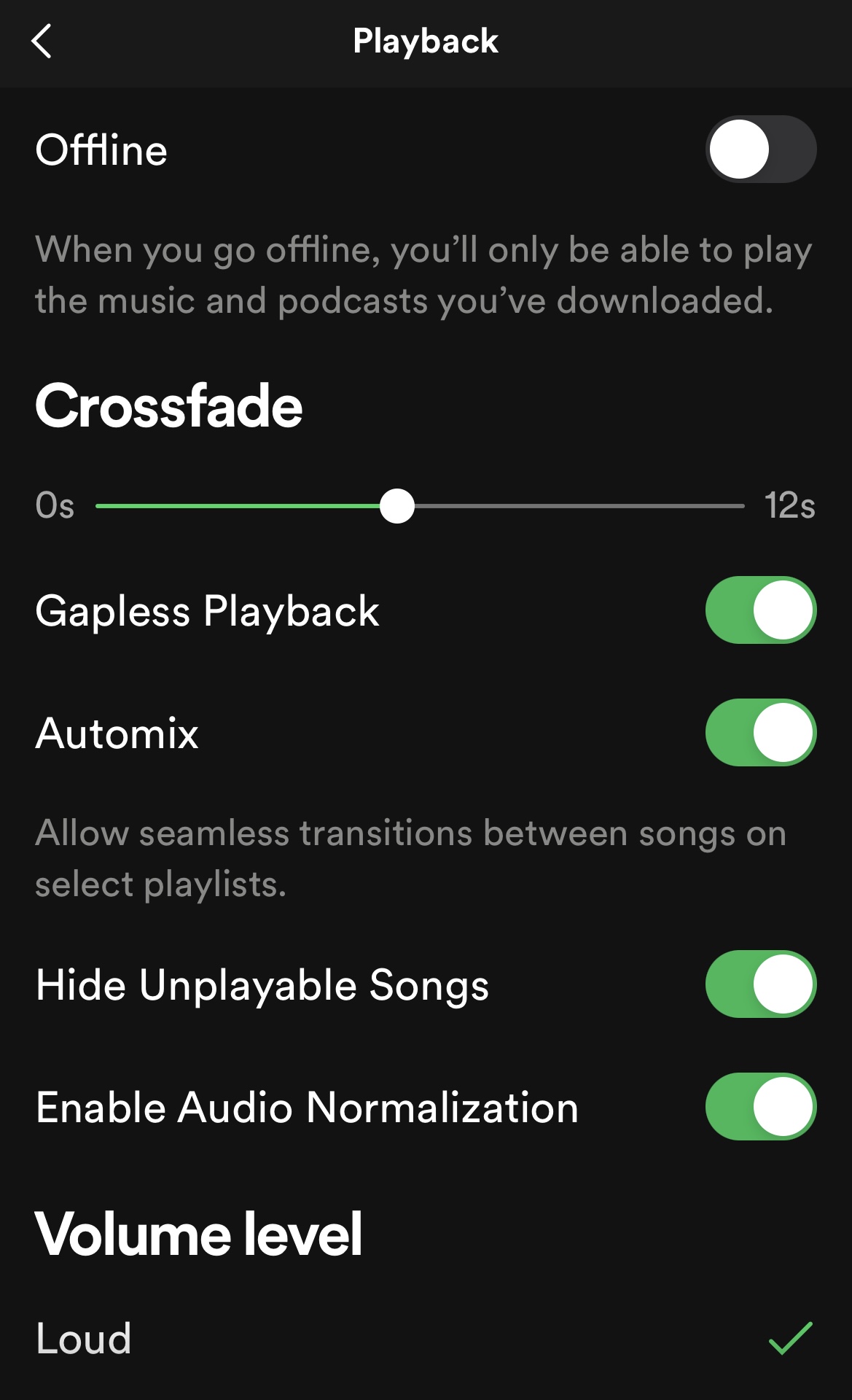
Crossfade feature: My personal favorite feature because it makes me feel like I am in a club when I’m just walking to my digital writing class. This allows users to blend tracks together for a seamless listening experience. The crossfade can be adjusted between 0 and 12 seconds, depending on how smoothly the user wants the tracks to blend.

Vivian is 23 years old, currently studying Digital Content Creation. She specializes in Digital Design & enjoys all forms of art.
She dedicates her time to creating her own forms of art and collaborating with other artists and individuals to execute art projects.